Turn Your Sketch Into an Editable Vector Design
⚡ Powered by Vector Ink AI
Upload a drawing, photo, or rough sketch — instantly convert it into clean, colorful vector artwork you can edit.
✓ {{ purchaseCreditsAdded }} {{ 'credits added. Thanks — you\'re all set.' | locale }}
Try Another Tool

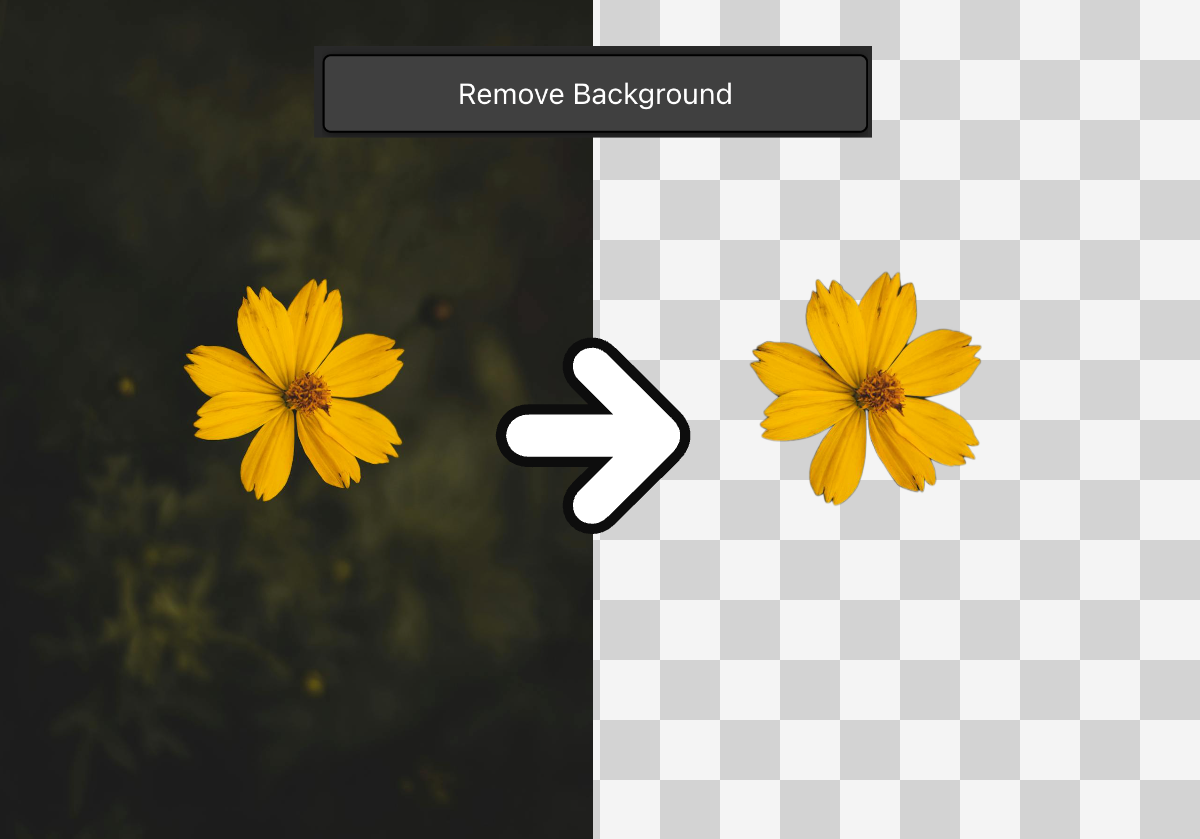


Turn Any Sketch Into a Professional Vector — Instantly
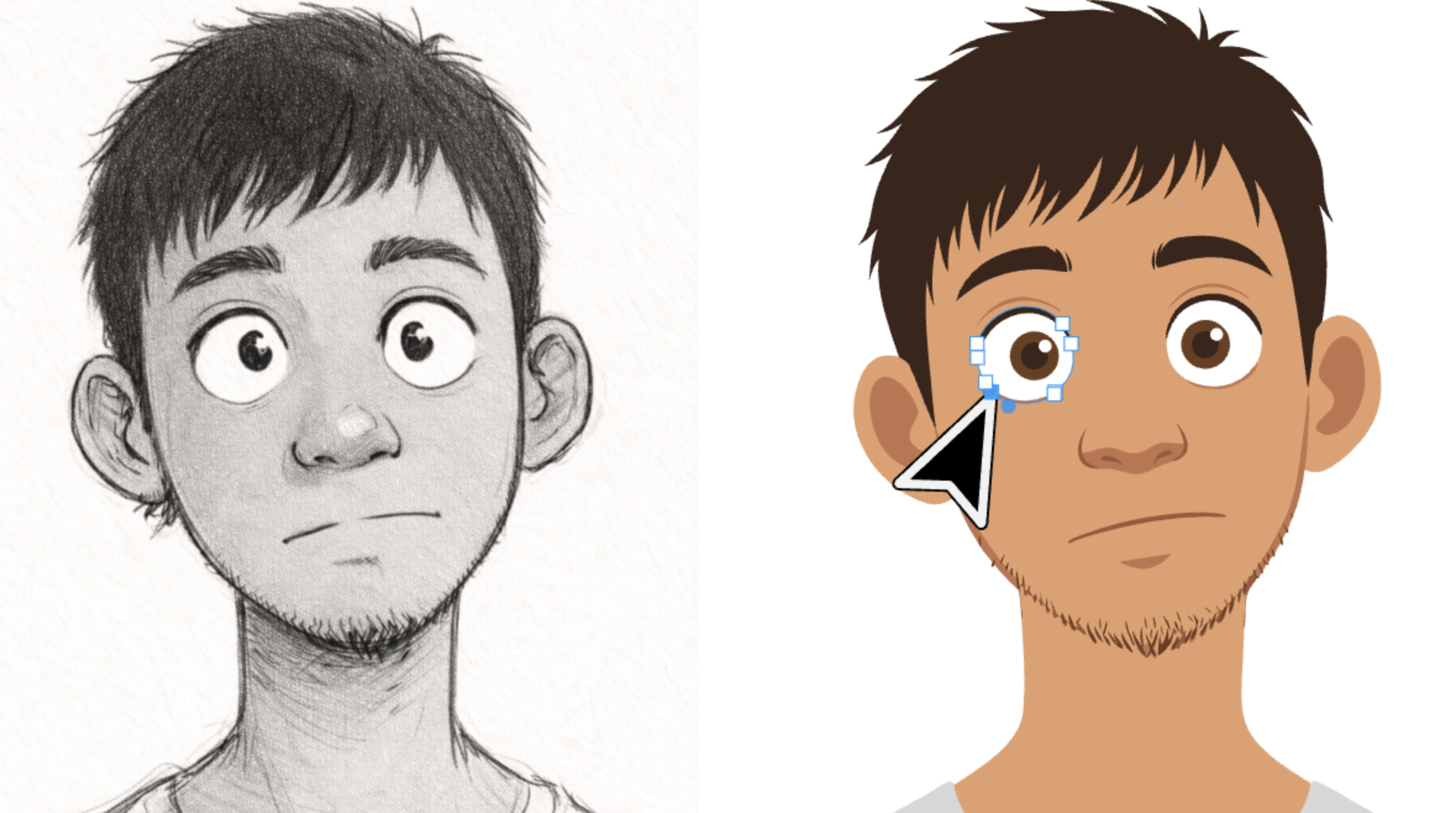
For decades, converting a hand-drawn sketch into a clean vector graphic meant hours of painstaking manual tracing with the Pen Tool in Adobe Illustrator or Inkscape. Every curve had to be placed by hand, every anchor point tweaked pixel by pixel. That era is over. Vector Ink's **Sketch to Vector** tool uses advanced AI image-to-image technology to transform any sketch, doodle, or rough drawing into a polished, colorful SVG file — ready to edit, scale, and use anywhere. Whether you need to convert a **PNG to SVG**, trace a **JPG to vector**, or perform a full **image trace** on a hand-drawn concept, this tool does it in seconds.
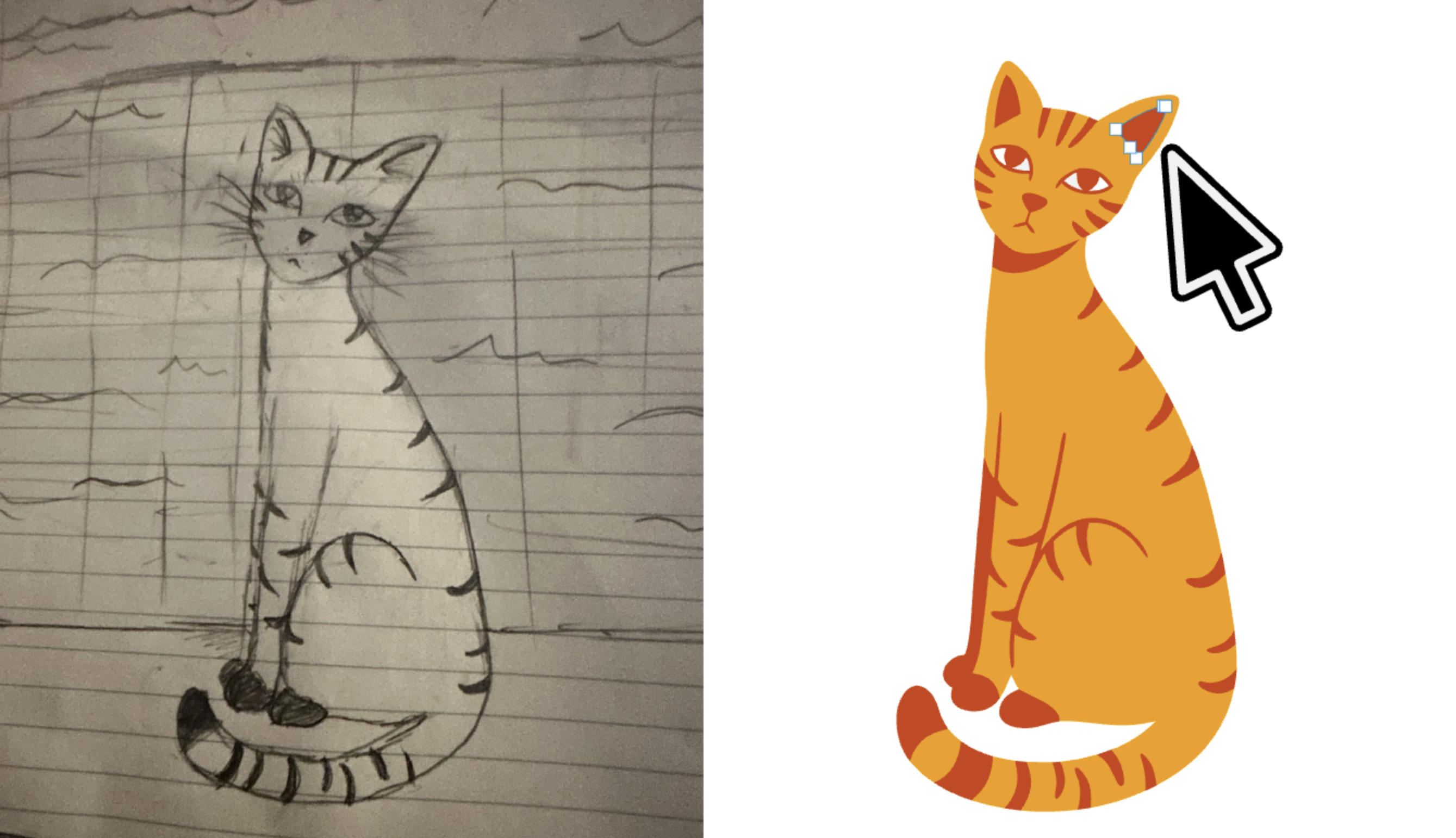
How Sketch to Vector Works: AI-Powered Image Trace
Traditional **SVG trace** tools rely on simple edge detection — they follow contrast boundaries and produce rough, often unusable outlines. Vector Ink's Sketch to Vector goes far beyond that. Our AI model understands the *intent* behind your drawing. It recognizes shapes, interprets line weight, infers symmetry, and generates clean vector paths with smooth curves and precise geometry. The result is not just a traced copy of your sketch — it's a refined, professional-grade vector interpretation.
Here's how simple the process is:
- Draw or photograph your sketch — on paper, a tablet, or any surface.
- Drop the image into the Sketch to Vector tool (supports PNG, JPG, JPEG, WebP, and more).
- The AI analyzes your sketch, reconstructs the shapes, and generates a clean **image to SVG** conversion.
- Download your vector file or open it directly in the Vector Ink SVG Editor to refine every detail.
No manual pen-tool tracing. No anchor-point wrestling. Just upload and get a production-ready vector.
Why This Changes Everything for Designers
Every designer knows the frustration: you have the perfect concept sketched out on a napkin or notebook, but turning it into a digital vector takes longer than the design process itself. The **Sketch to Vector** tool eliminates that bottleneck entirely. It bridges the gap between raw creative ideas and finished digital assets.
What makes this tool truly innovative:
- Intelligent shape recognition — The AI doesn't just trace edges. It understands circles, straight lines, curves, and complex geometry, producing mathematically clean paths.
- Color and style generation — Unlike basic **image trace** tools that output flat black outlines, this tool generates colorful, stylized vectors that look professionally designed.
- Works with any skill level — You don't need to be an artist. A rough doodle is enough. The AI interprets your intent and elevates the output to professional quality.
- Instant SVG output — The result is a fully editable SVG file with clean paths, proper layering, and optimized markup. No post-processing needed.
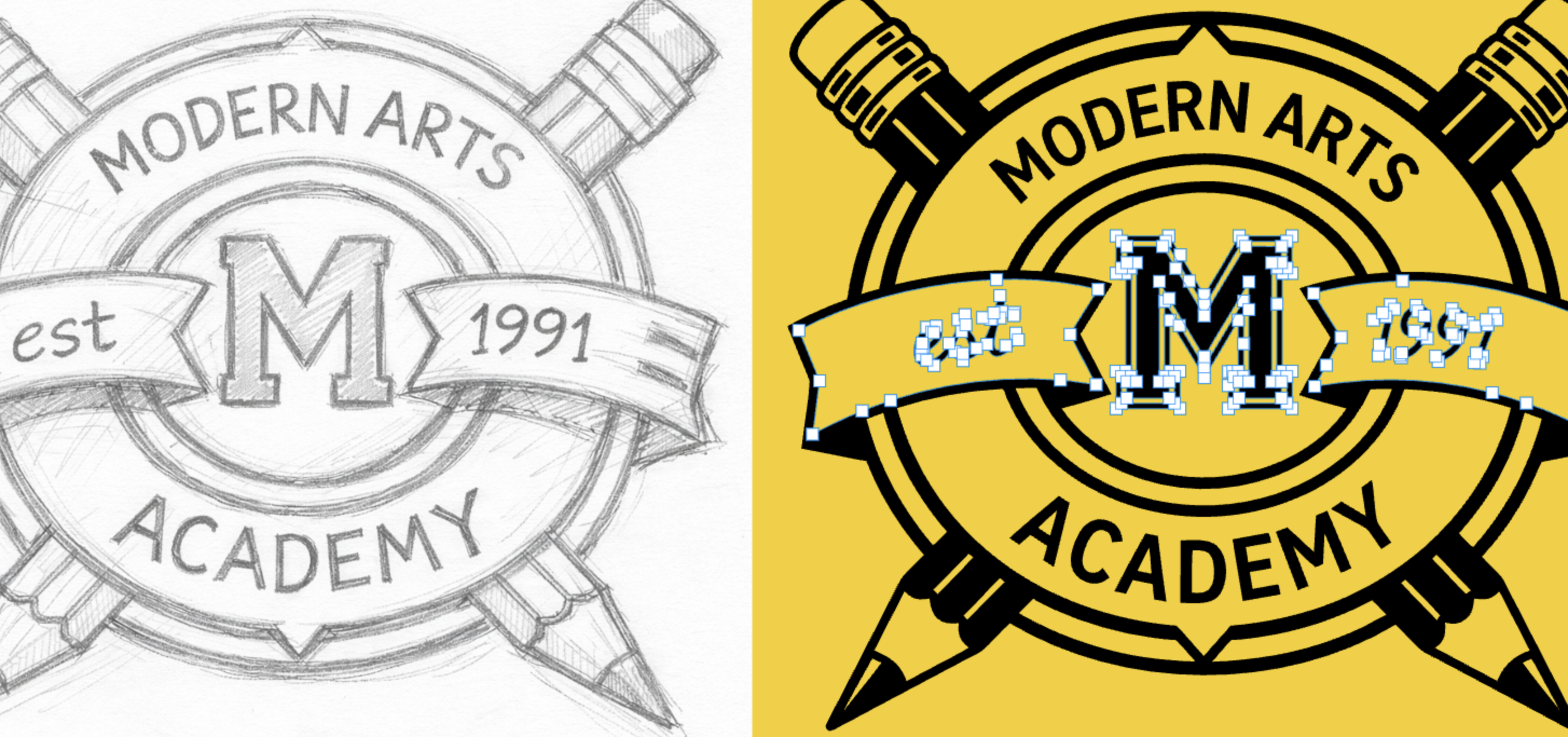
Sketch Your Logo Idea — Let AI Do the Rest
Logo design has always required specialized vector skills. Clients sketch ideas on whiteboards. Freelancers rough out concepts in notebooks. But the jump from concept to polished vector logo has always required expertise with bezier curves and professional design software. Not anymore.
With the **Sketch to Vector** converter, anyone can turn a rough logo sketch into a clean, scalable vector logo. Simply draw your logo concept to the best of your ability — it doesn't have to be perfect — and drop it into the tool. The AI will generate a professional vector version with clean lines, balanced proportions, and crisp edges. From there, open it in the Vector Ink SVG Editor to fine-tune colors, adjust shapes, and export in any format you need.
This means founders can prototype their own brand marks, teachers can create classroom graphics, and hobbyists can produce sticker-ready designs — all without learning the Pen Tool.
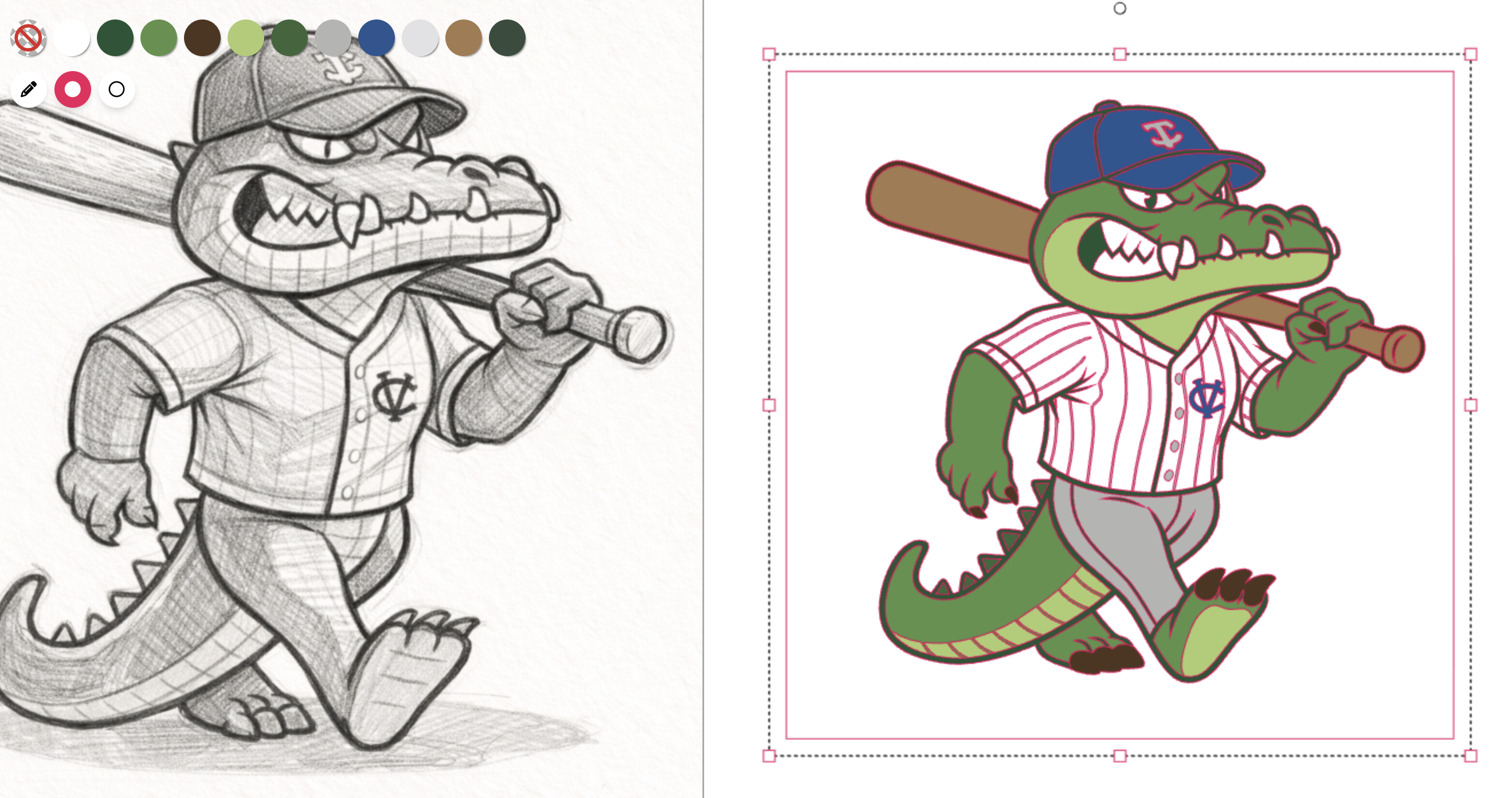
Image to SVG: Convert PNG, JPG, and Any Raster Image to Vector
Beyond hand-drawn sketches, this tool works as a powerful general-purpose **image to SVG converter**. Have a PNG logo that needs to scale for a billboard? A JPG illustration that you want to edit as vector paths? A photograph you want to stylize into vector art? The Sketch to Vector tool handles it all.
Supported conversions include:
- PNG to SVG — Convert transparent or opaque PNG images into scalable vector graphics with preserved detail.
- JPG to SVG — Transform compressed photographs and graphics into clean, editable vector files.
- PNG to vector — Turn any raster graphic into a resolution-independent vector that scales to any size without quality loss.
- Image trace — Perform intelligent AI-powered tracing that goes beyond simple edge detection to produce refined, usable vector output.
- SVG trace — Generate optimized SVG markup with clean paths, minimal nodes, and proper structure for web and print use.
Every conversion produces a standards-compliant SVG file that works in all major design applications — Illustrator, Figma, Inkscape, Affinity Designer, and of course the Vector Ink editor.
Built for Designers and Non-Designers Alike
The Sketch to Vector tool was designed to be accessible to everyone, regardless of technical skill:
- Professional Graphic Designers — Rapidly prototype vector concepts from rough sketches. Skip the tedious tracing phase and go straight to refinement.
- Logo Designers & Brand Agencies — Convert client napkin sketches into presentable vector drafts in minutes instead of hours.
- Small Business Owners — Create your own logo and brand graphics without hiring a designer. Sketch your idea and let the AI vectorize it.
- Crafters & Makers — Generate SVG cut files for Cricut, Silhouette, and laser cutters from hand-drawn designs.
- Students & Educators — Produce clean vector illustrations for presentations, posters, and educational materials from simple drawings.
- Web Developers — Convert mockup sketches and icon drawings into production-ready SVG assets for websites and applications.
- Tattoo Artists — Transform pencil sketches into clean vector line art for stencils and client previews.
Tips for Getting the Best Vectorization Results
- Use high contrast — Dark lines on a white background produce the best results. If photographing a sketch, make sure the lighting is even and the background is clean.
- Keep lines clear — The AI can handle rough sketches, but cleaner input produces cleaner output. Use a thick marker or dark pencil for best definition.
- One subject per image — For logos and icons, isolate the design in the frame. Avoid cluttered backgrounds or multiple overlapping drawings.
- Try different styles — Experiment with different sketch styles. The AI adapts to minimalist line drawings, detailed illustrations, and everything in between.
- Refine in the editor — After conversion, open the SVG in the Vector Ink Editor to adjust colors, move anchor points, and perfect your design.
From Sketch to Scalable Vector in Seconds
Stop spending hours manually tracing your drawings. Vector Ink's **Sketch to Vector** tool is the fastest way to go from a rough idea to a polished, editable SVG. Whether you're converting a **PNG to SVG**, performing an **image trace** on a logo sketch, or transforming a **JPG to vector** art, this AI-powered tool delivers professional results every time. Try it now for free — upload your sketch above and watch the magic happen. Then open your new vector in the Vector Ink SVG Editor to make it truly yours.